Stop Switching Apps. Plan Every Adventure in One Place.
Most outdoor adventures require three separate apps before you even leave home — a route planner, a weather app, and an avalanche tool. Thred™ puts all of it on one map: import your GPX route, check pinpoint weather at every stage, assess slope angles, and save the whole plan offline before you step out the door.
Join the Beta Test CrewEverything in One Planning Screen
Import a route, pin weather forecasts at every stage, check the route analysis, and save the whole plan for offline use — all without leaving the app. When your plan is ready, attach it to an event or export the GPX.
- Import and edit routes from any of your other devices.
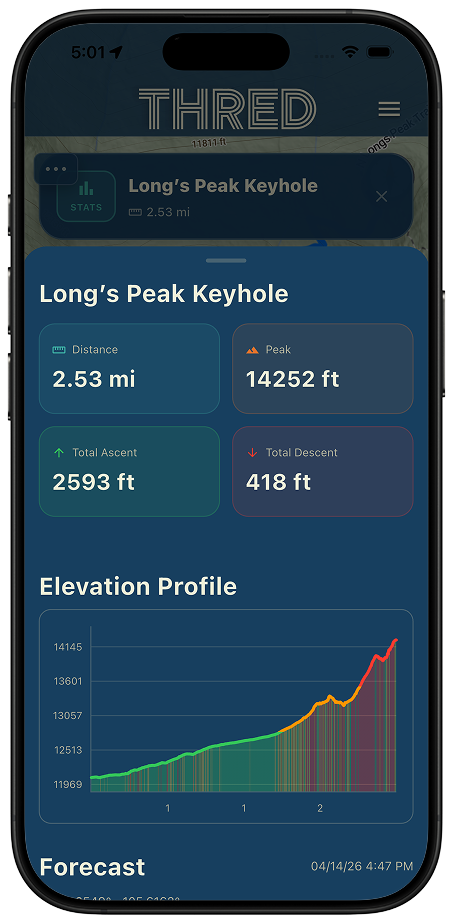
- Review the route analysis to see the route length and elevation gain and loss
- Use the interactive graph to see exactly where the tough spots are located
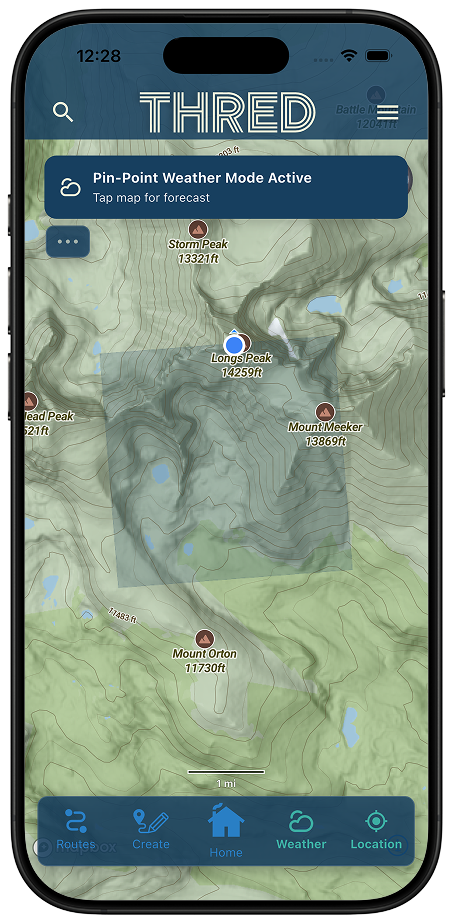
- Pin a weather forecast to any spot on the map while you build a route
- Attach a completed plan to an event, or export it as a GPX file to share
The avalanche forecast, wildfire, smoke and weather layers are free. Route import and editing, route analysis, GPX export, offline map download and the snow and slope toolkit are part of the Explorer plan.
Import GPX, FIT & TCX Files — Plans You Already Have, Enriched
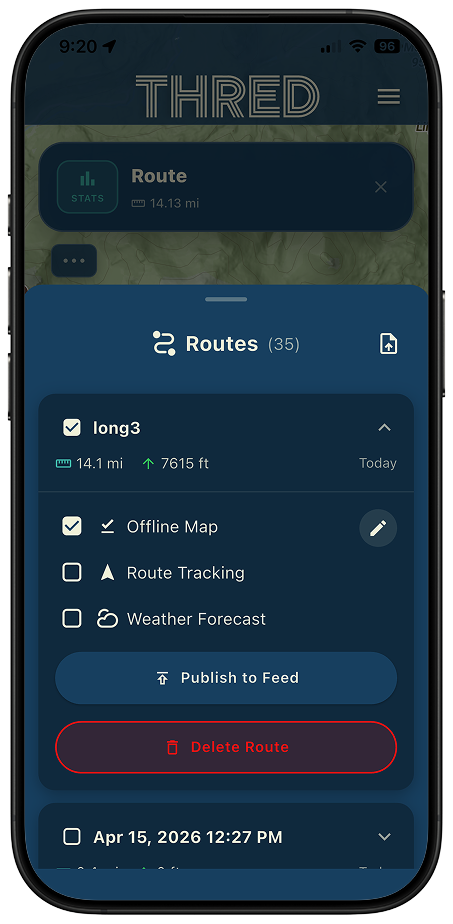
Already have routes from Garmin, Wahoo, Komoot, or any GPS device? Import them directly into Thred. GPX, FIT, and TCX files are all supported. Thred™ automatically extracts distance, elevation gain, and starting coordinates so your route is ready to share, attach to an event, or save for later — no manual data entry required.
- GPX, FIT, TCX, and KML file formats all supported
- “Open with Thred” — share a GPX, TCX, or FIT file from any app and it lands in your routes, ready to view
- Auto-extraction of distance, elevation gain, and start location
- Imported routes join your collection, ready to view, attach to an event, or export
- Attach imported routes directly to events or share on your activity feed
- Saved routes available in your personal routes collection for reuse and sharing

Weather Forecasts for Your Exact Location, Not the Nearest Town
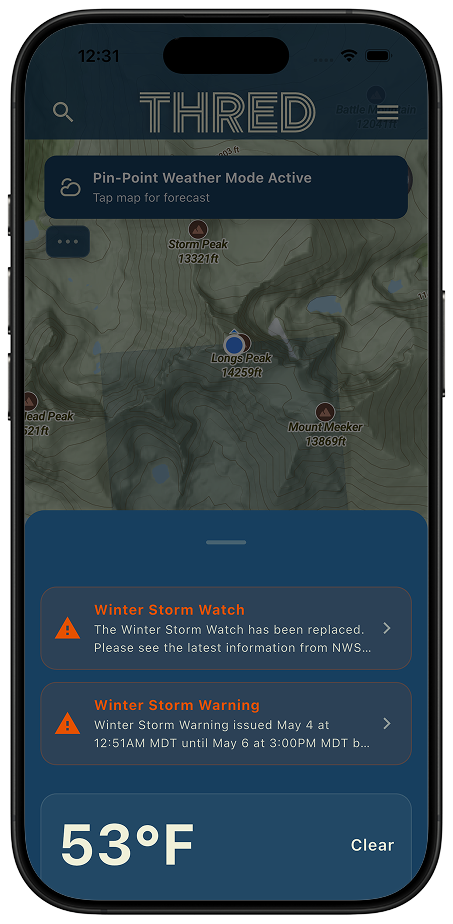
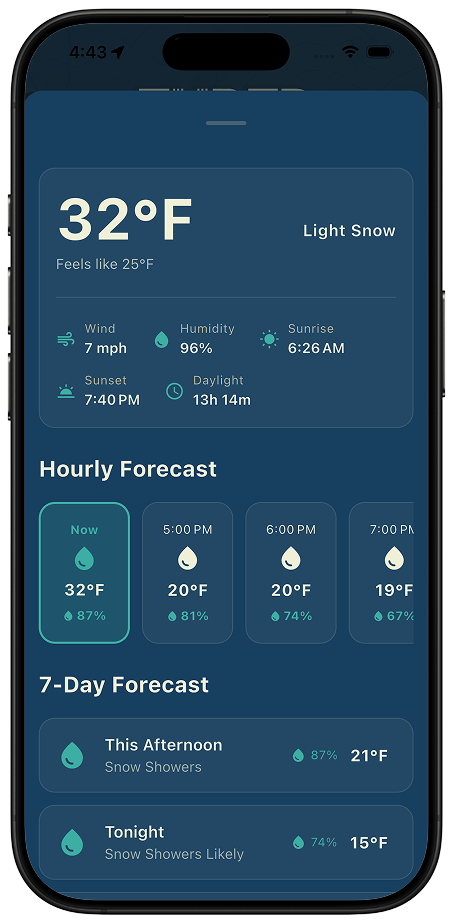
Some apps show weather near a route summary or just your current location. Thred™ goes further: tap any point on the map — a summit, a valley crossing, a remote trailhead — and get a forecast for that exact location saved to your route. Check conditions at the start, mid-route, and finish before you commit to a plan.
- Tap any map point to get a location-specific forecast — not a city average
- Current temperature, wind speed, humidity, pressure, and sky condition
- 24-hour hourly forecast with precipitation chance at each hour
- 7-day outlook with 12-hour morning/afternoon splits
- Severe weather alerts shown automatically in the US — color-coded by severity
- Save forecasts (up to 20) or attach them directly to your route
Avalanche Slope Angle Overlays for Backcountry Safety
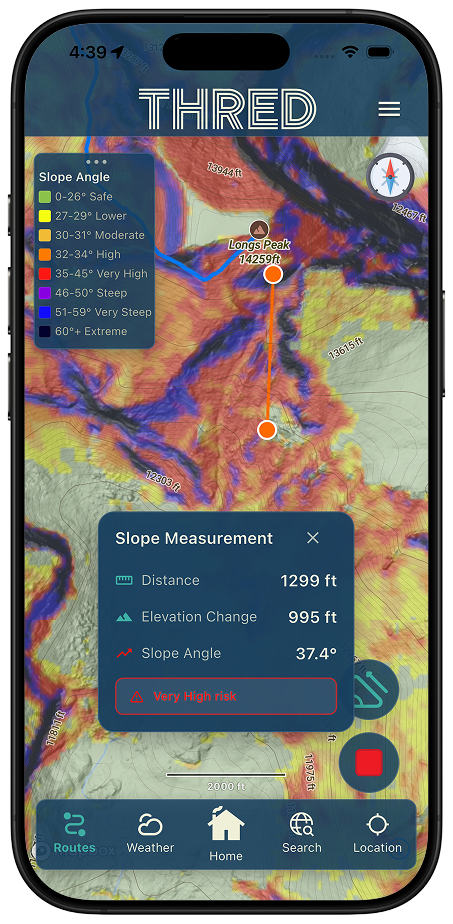
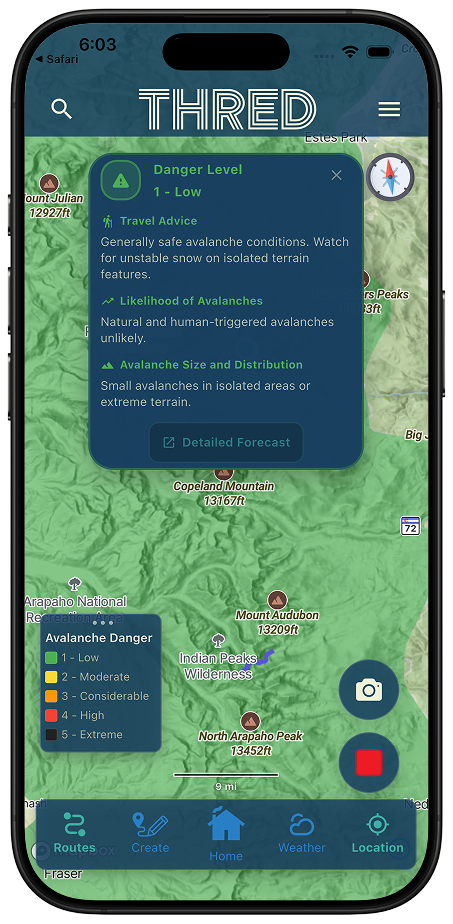
For backcountry skiers, snowshoers, and mountaineers, slope angle is a critical variable in avalanche risk assessment. Thred™ overlays slope angle data directly onto the map — color-coded by steepness — so you can identify dangerous terrain and route around it before you head into the backcountry. The slope angle overlay and the slope measure tool are part of the Explorer plan, and the slope raster currently covers Colorado only. The avalanche forecast layer is free and covers every US forecast center.
- Slope angle overlay color-coded by steepness, from under 26° through 60°+ extreme terrain
- Measure slope angle on the map wherever you have a signal — the overlay and each measurement stream in live
- Identify avalanche terrain at a glance without leaving the route planning screen
- Combine slope angle with weather data for a full risk picture
Safety note: Slope angle overlays are a planning aid. Always consult your regional avalanche forecast and travel with trained partners and appropriate rescue equipment in avalanche terrain.
Adventure Posts Written for Your Sport
Publish an adventure post and its overview speaks your activity's language — a motorcycle ride gets pace, surface, and hazard notes written for riders; a trail run gets runner's beta. Same trail, the right details.
- Overviews are written for the sport you published the adventure under
- Riders get pace, surface, and hazard notes; runners get runner's beta
- Same trail, different sport, the details that actually matter to you

Adventure post overviews written for the sport you published under — because a rider and a runner need different beta.
Ready to Plan Your Next Adventure?
The Thred™ iOS beta is open now; Android is invite-only. Join the beta waitlist.
Join the Beta Test Crew