Discover, Join & Create Outdoor Adventures Near You
Thred Events connects you with local outdoor adventures organized by real athletes in your community — with GPX routes, gear requirements, and route tracking built in. Unlike Meetup or Facebook Events, Thred is built exclusively for the outdoors.
Join the Beta Test CrewFind Events That Match Your Sport & Skill Level
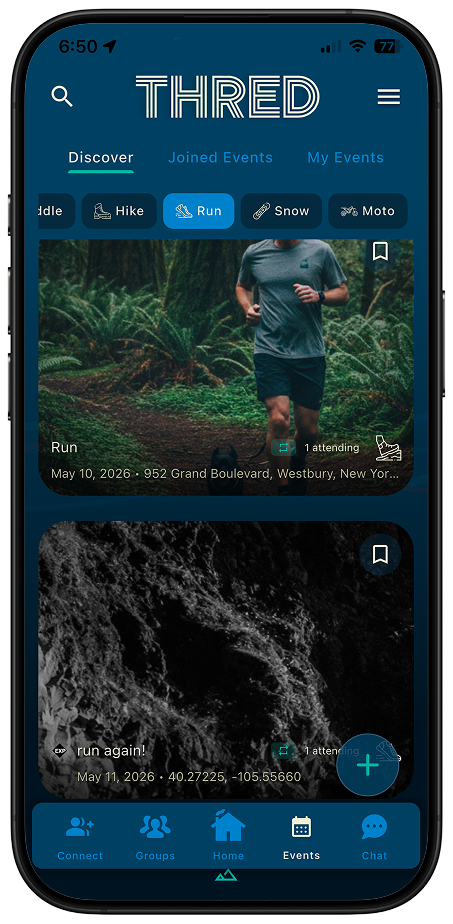
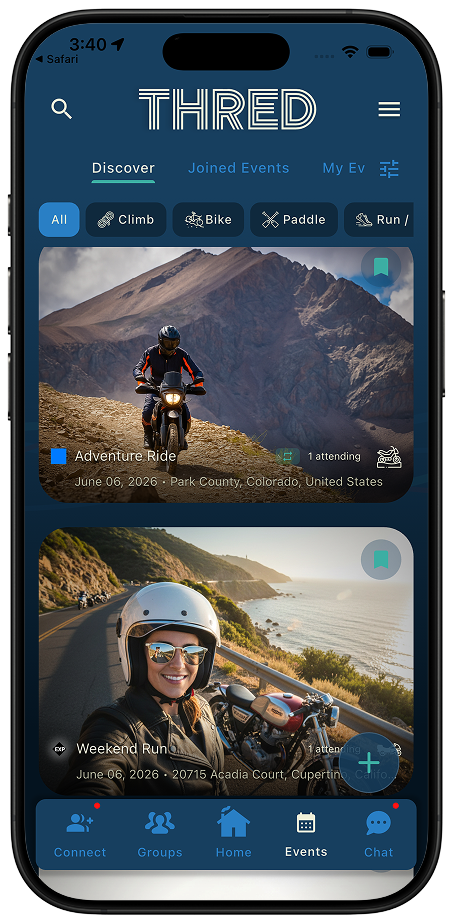
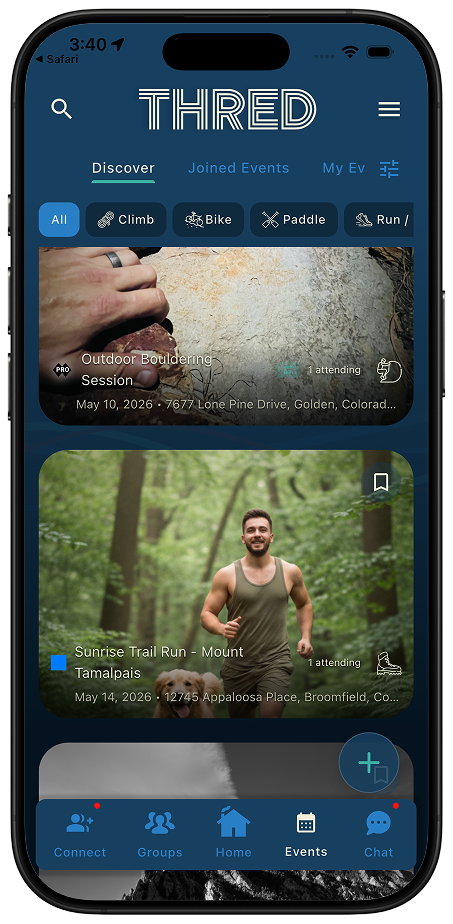
The Discover tab shows upcoming outdoor events near you, filtered by your activity preferences and location. Browse hiking, cycling, trail running, climbing, water sports, and more — each event showing difficulty level, required gear, date, and organizer info before you commit.
- Filter by sport: hiking, cycling, running, climbing, water sports, and more
- Difficulty ratings so you know what you are getting into before you RSVP
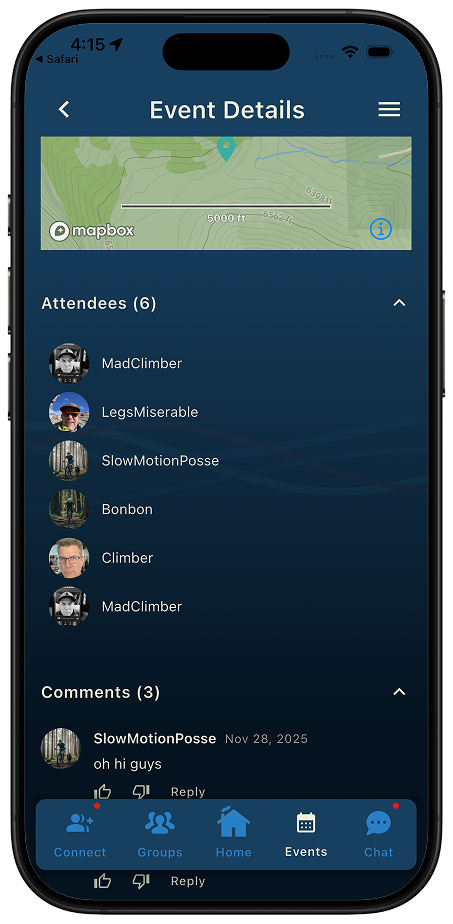
- Attendee list visible before joining — see who else is going
- One-tap RSVP with optional bookmark for events you want to revisit
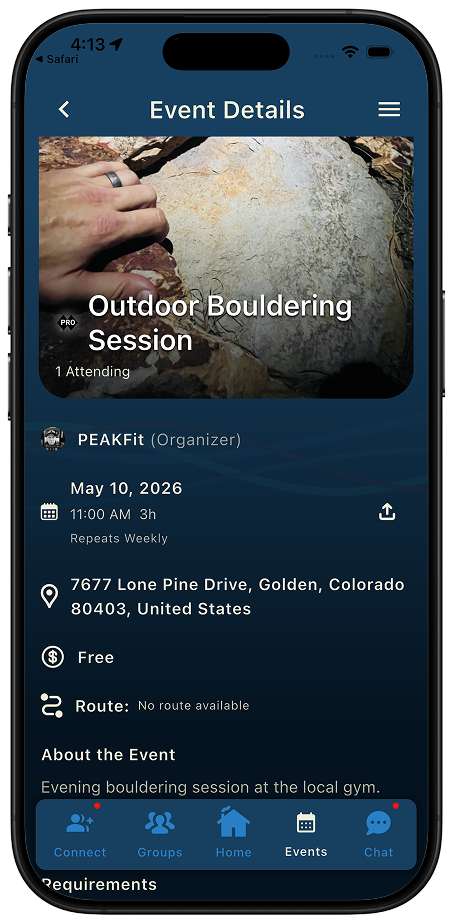
- Export any event directly to your device calendar
Create Your Own Outdoor Event in Minutes
Organizing a group ride, setting up a hike, or running a recurring trail run club? Thred's event creation wizard walks you through everything — from uploading your route file to setting visibility. Recurring events are fully supported so your weekly outing runs itself.
- Upload a route file and Thred auto-fills distance, elevation, and location
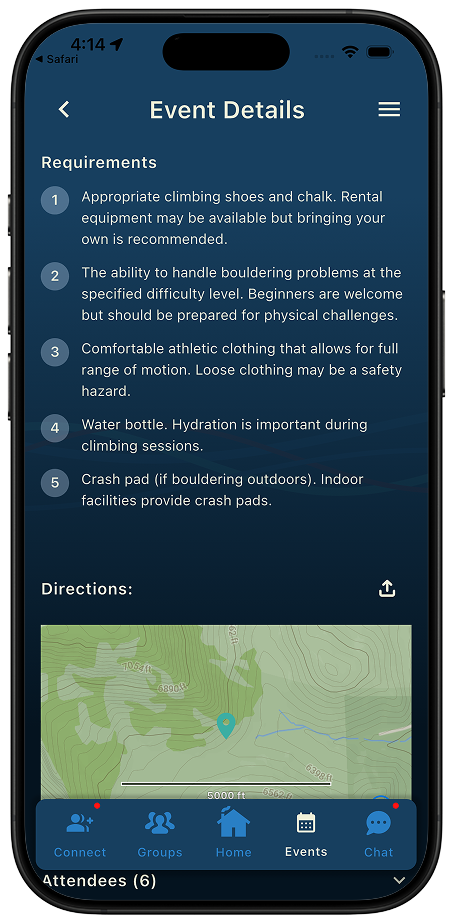
- Set required and recommended gear lists so attendees come prepared
- Five visibility levels: Public, Friends, Group, Invite Only, or Unlisted
- Export any event to your device calendar — iOS and Android both supported
- Create recurring events (daily, weekly, monthly) for ongoing clubs
- Events auto-save as drafts — finish creation anytime
GPX Routes, Gear Lists & Live Route Tracking — Not Just a Calendar Invite
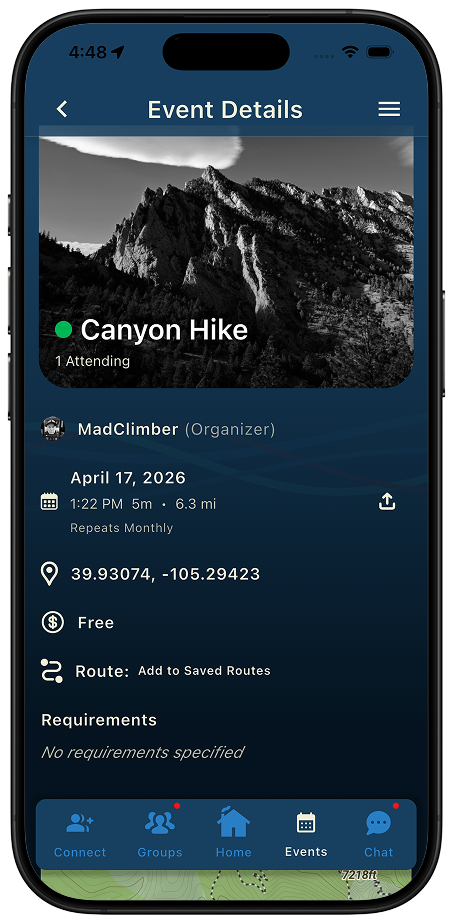
Thred Events gives you the full picture: a GPX route you can preview and save, a gear checklist, difficulty rating, cost information, and — on the day — a map with the shared route.
- GPX route files attached directly to events
- Auto-extracted elevation gain, distance, and training metrics from route files
- Save any event route to your personal collection for future use
- Take photos along the way and they are geocoded and attached to your route
- Add a forecast for the event location and start time so you can be prepared
Frequently Asked Questions About Thred Events
How do I find outdoor events that match my interests?
Go to the Events tab and select Discover to see suggested events based on your activity preferences and location. Filter by specific activities like hiking, cycling, or water sports, and search by keywords or dates.
What is the difference between Discover, Joined Events, and My Events?
Discover shows events you haven't joined yet. Joined Events displays events you've RSVP'd to attend. My Events shows events you've created, separated into Future Events and Past Events.
Can I create my own outdoor event on Thred?
Yes. Tap the (+) button in the Events tab to launch the 9-step event creation wizard. Set your title, description, date/time, location, difficulty level, required gear, and optionally attach a GPX route file. Events auto-save as drafts so you can finish later.
How does Thred Events compare to other event platforms?
Thred Events is built exclusively for outdoor adventures. It includes GPX route sharing, gear requirements, difficulty ratings, and weather integration — features general event platforms don't offer.
Can I see who else is attending a Thred event?
Yes. On the event details page, view the full attendee list and connect with other participants through Thred's messaging feature before the event.
Can Thred events recur on a schedule?
Yes. When creating an event you can set it to repeat daily, weekly, or monthly. You can later edit or delete individual occurrences or the entire series — useful for running clubs, weekly group rides, or recurring trail sessions.
Never Miss a Local Adventure Again
Thred™ is coming to iOS and Android. Get early access.
Join the Beta Test Crew