Signal drops the moment the trail gets interesting. This release is for that moment.
Offline Mapping
Pick your or create route, start the offline download, and watch it fill. The progress is visible the whole time, so you know when it is safe to leave the house.
Once an area is saved, Explore stays useful with no signal. You can still:
open your saved routes and follow them
read the forecast you saved for that area
see the POIs and elevation on the map
Saved forecasts show up on the map
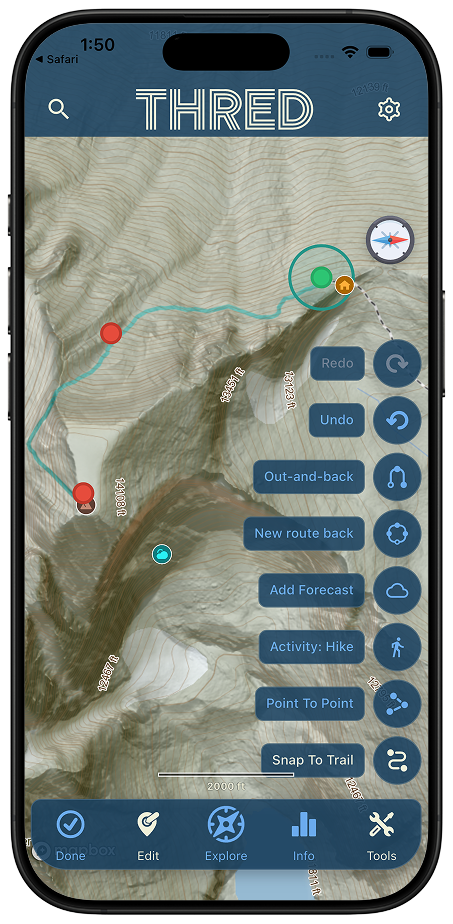
Weather used to live in its own corner. Now a forecast you save appears as a pin on Explore, right where it applies.
You can also clear them out. Open the drawer and delete any saved forecast you no longer need.
Signing up is one step shorter
Not part of Explore, but worth saying. We cut another step out of sign-up. If you have friends who bounced off onboarding before, this is a good week to invite them back.
Plus the usual round of fixes and stability work underneath all of it including:
Groups: invites, and connect requests now live in Notifications. (This is parts of a notification unification and simplification project.)
Notifications: Fixes for alerts that would not fire or clear.
Events: a single-page editor, and events you approve people into.
What to test:
Save a forecast, then delete it. Save one, find its pin on Explore, then remove it from the drawer.
Save a forecast, then delete it. Save one, find its pin on Explore, then remove it from the drawer.
Create a new route and save it.. Try out the new tool bar in the Route Creation page and see if you can find any bugs we missed.
Tell us what you find
Join and Post it in the Thred beta tester group. https://www.facebook.com/groups/1060337400227326 Screenshots help more than you would think. Send one of the map when it should have had data and didn't.
Thanks for testing. See you out there.